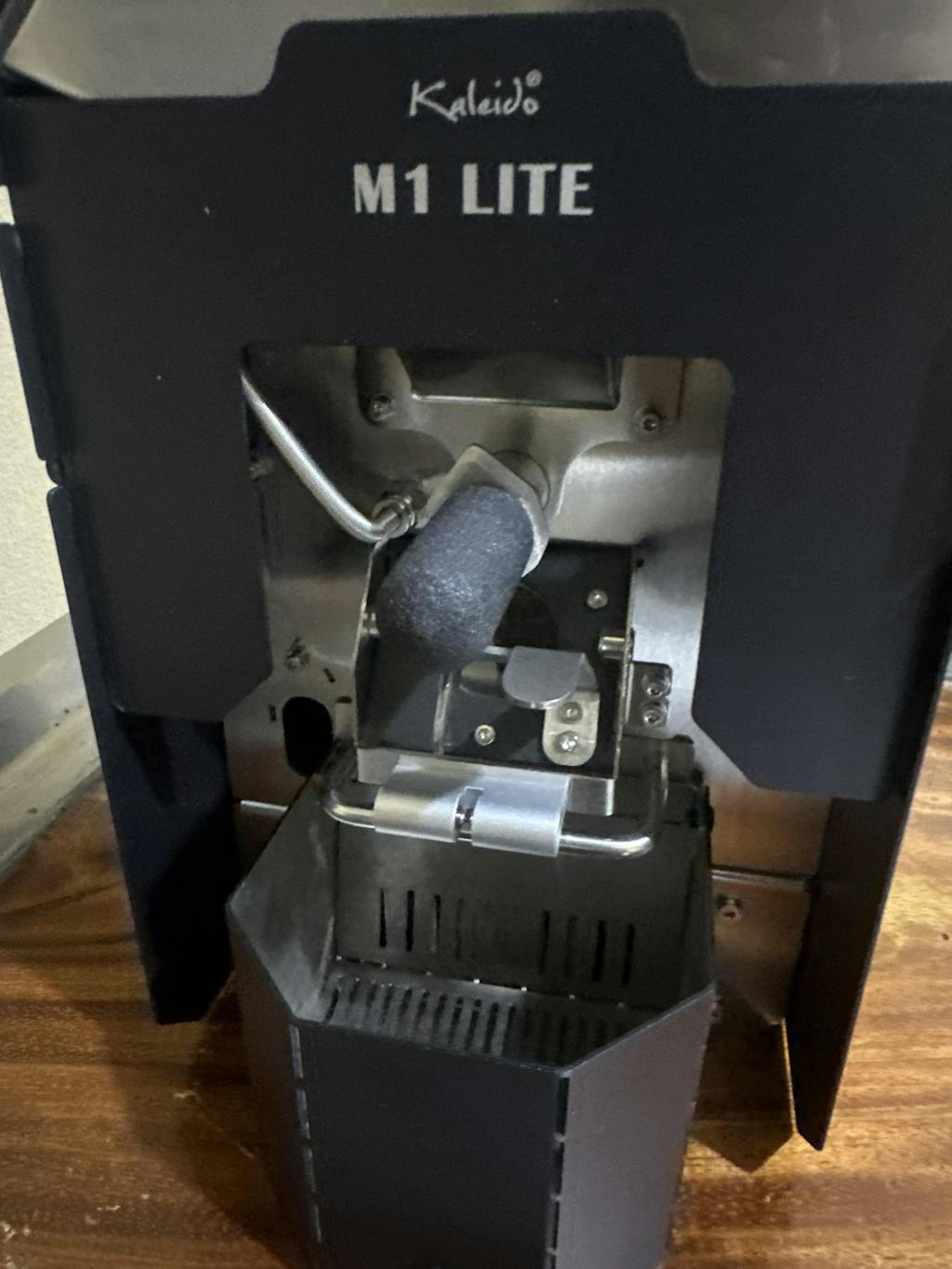


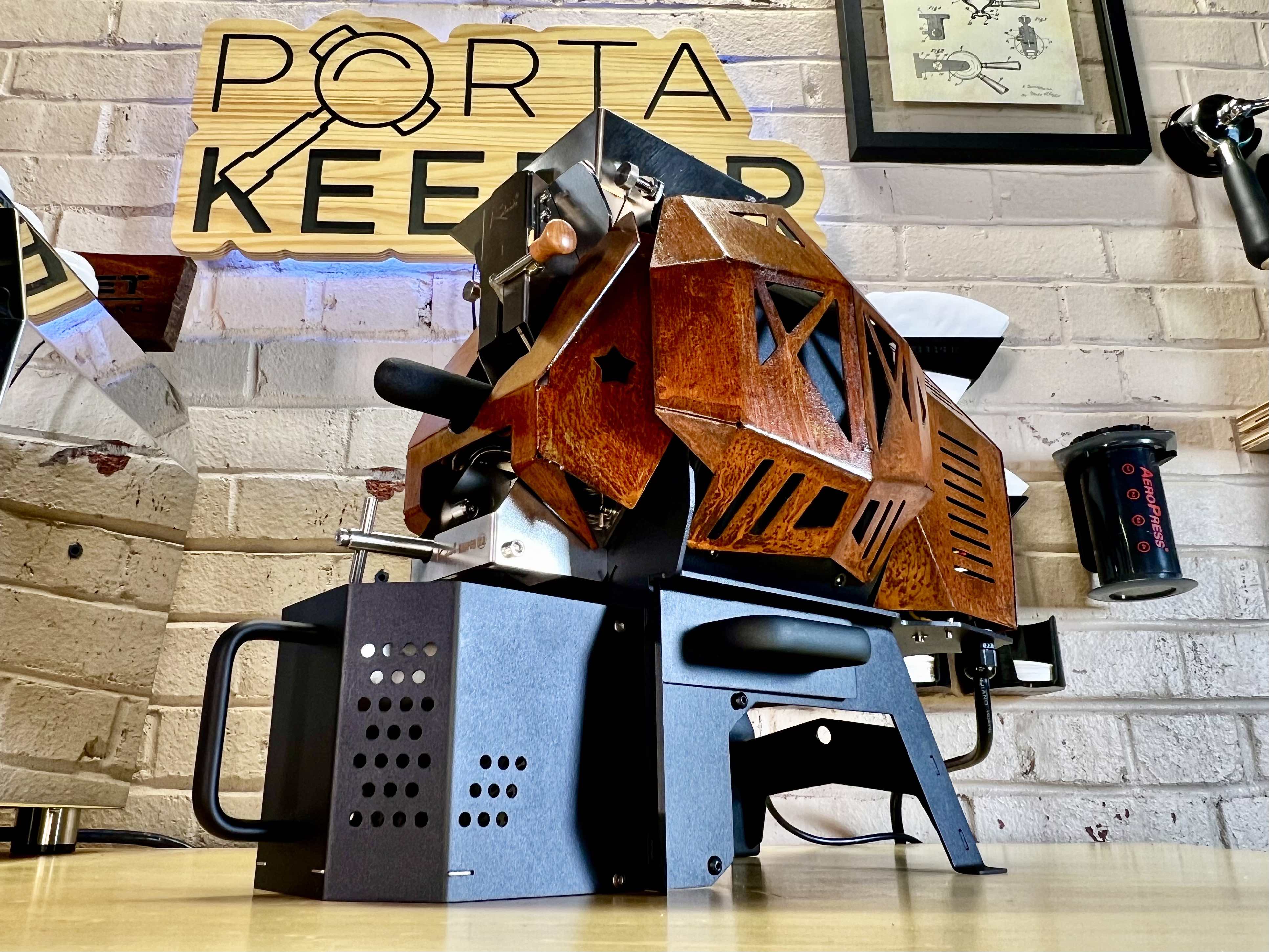
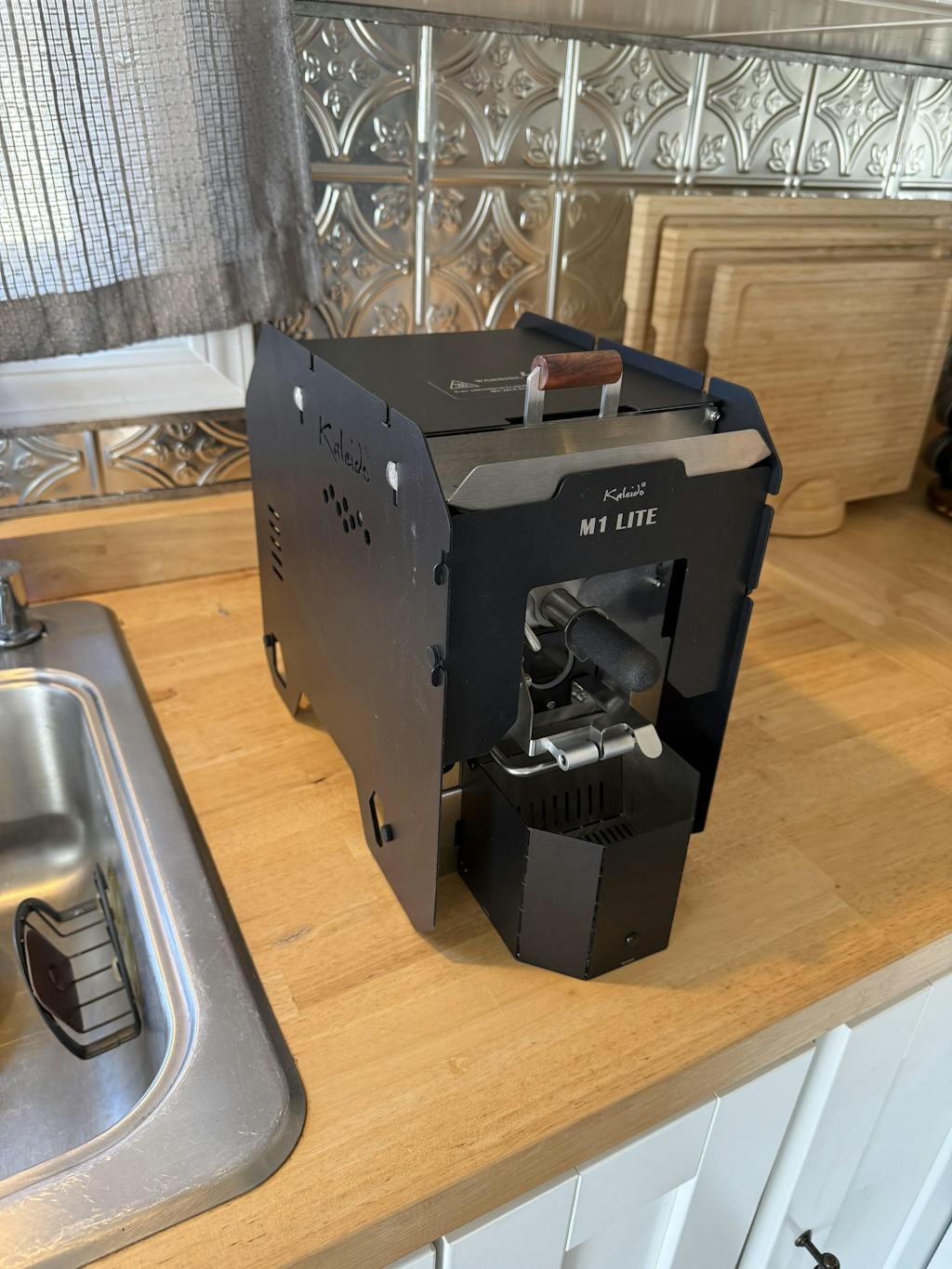
Kaleido M1 LITE 200g Coffee Roaster (Artisan System) - Black
Kaleido M1 LITE 200g Coffee Roaster (Artisan System) - Black – alternate detail view
Kaleido M1 Lite 200g coffee roaster detail view
Kaleido M1 LITE 200g Coffee Roaster (Artisan System) - Black – alternate detail view
Kaleido M1 Lite 200g coffee roaster detail view
Kaleido M1 LITE 200g Coffee Roaster (Artisan System) - Black – alternate detail view
Kaleido M1 Lite 200g coffee roaster detail view
Kaleido M1 LITE 200g Coffee Roaster (Artisan System) - Black – alternate detail view
Kaleido M1 Lite 200g coffee roaster detail view
Kaleido M1 LITE 200g Coffee Roaster (Artisan System) - Black – alternate detail view

Kaleido M1 LITE 200g Coffee Roaster (Artisan System) - Black

Regular price $999.00 Sale price$699.00 Save $300.00
/
Shipping calculated at checkout.

  • Free Shipping for Orders Over $100 in USA 48 States - No International Shipping
Please read red texts below. Some variations of this product are Pre-Order only.
Availability: The M1 Lite is currently available for pre-order.  Expected timeframe for delivery to our warehouse is Mid October.

The Kaleido M1 Lite is a compact electric coffee roaster for 50–200g batches of green coffee. Control heat, airflow and drum speed through Artisan on your computer, record each roast and compare profiles as you learn what works for your coffee.

It suits home roasters who want hands-on control and small batches for espresso, filter coffee or side-by-side tasting. This black, 120V model uses a 1,000W carbon-fiber infrared heating system with circulating hot air.

Before ordering: Supply your own compatible computer; we recommend a Windows laptop. The M1 Lite does not use the Kaleido proprietary tablet. The cooling box needs assembly, and your roasting space needs suitable ventilation.

M1 Lite setup guide, Artisan connection instructions and support — from Kaleido Roasters USA, our dedicated Kaleido brand website.

M1 Lite specifications

Feature Details
Green-coffee capacity 50–200g per batch; roasted weight will be lower
Heating 1,000W carbon-fiber infrared electric heating with circulating hot air
Electrical version 120V; fixed power cord
Roast controls Adjustable heat, fan speed and drum speed through Artisan
Temperature feedback Bean temperature (BT) and environmental temperature (ET) probes
Computer connection USB or Bluetooth; correct drivers and Artisan configuration required
Software Free, open-source Artisan desktop software; computer supplied by customer
Cooling and chaff Separate fan-assisted cooling box and chaff collector
Finish Black
Assembly Cooling box ships unassembled; heating elements are pre-installed

How much coffee does a 200g roaster make?

The capacity describes the green coffee you load, not the finished coffee you take out. Beans lose weight during roasting as moisture and other compounds leave the bean.

Green coffee loaded Roasted coffee at 15% weight loss
100g 85g
150g 127.5g
200g 170g

These are calculated examples, not measured M1 Lite results or a guaranteed yield. Actual weight loss depends on the coffee and roast.

A 200g charge yielding 170g gives about nine 18g doses. Three such batches yield about 510g. Use your normal weekly coffee consumption to decide how many batches you want to roast. Our guide to coffee roast weight loss and yield explains how to measure your own results.

Learn and repeat your roast with Artisan

Artisan lets you follow temperature curves while adjusting the roaster. Save your roast log, add notes and compare it with the next batch. Its Kaleido connection documentation explains the supported controls and why the configuration must match the roaster generation.

  • Heat: Adjust energy input as the roast progresses.
  • Airflow: Change fan speed as part of your roast plan.
  • Drum speed: Adjust how the beans move through the drum.
  • Temperature logging: Track BT and ET alongside your control changes and roast milestones.

A saved curve is a useful reference, but the same settings will not necessarily produce the same result with a different coffee or batch weight. Start with a consistent charge size, record changes and compare the brewed coffee before changing several settings at once.

Which computer should I use?

We recommend a Windows laptop for the supported setup. Artisan also offers macOS and Linux versions, but software availability alone does not establish compatibility with every computer, driver and roaster connection. Review the current Artisan system requirements and our software and driver guidance before choosing a computer. A Chromebook is not a Windows laptop.

Does Bluetooth pairing mean Artisan is connected?

No. Adding the roaster to the computer's Bluetooth device list is only part of setup. Artisan also needs the correct connection settings. Follow the Kaleido setup guide for configuration and connection steps. USB is also available on this M1 Lite.

M1 Lite vs. M2 Lite vs. M6 Pro

Choose around the batch size you expect to roast regularly. More capacity can reduce the number of batches needed, while the M1 Lite is useful when you want to work with smaller amounts of coffee.

Model Maximum green charge Best fit
M1 Lite 200g Personal-use batches, small trials and learning profile control
M2 Lite 500g More coffee per batch in the Lite range
M6 Pro 700g Larger regular batches and fewer separate roasts

All three use an Artisan computer workflow. Review each model's batch range, space and electrical requirements before buying. If a Kaleido tablet is essential, look at a compatible Dual model; the M1 Lite does not support that tablet.

What changed from the original M1?

The M1 Lite simplifies the body design while retaining the M1's small-batch roasting format. It has no carry handle, no bean-trier light and no power switch, and its power cord is fixed. The cooling box requires assembly. It is offered in the Artisan-controlled configuration, comparable in control approach to the earlier Pro version. The previous M1 has been discontinued.

Prepare for your first roast

  1. Read the setup instructions. Start with our Kaleido Roasters USA setup guide for assembly, Artisan connections, drivers and support resources. Follow the hardware instructions supplied for your M1 Lite.
  2. Unpack and assemble. Check the chaff tray for the bean trier and remove packaging and loose parts. Assemble the cooling box before operation. The M1 Lite heating elements arrive installed.
  3. Prepare the workspace. Allow room for loading beans, operating the trier, removing the cooling box and accessing the chaff collector. Check the 120V supply and plan ventilation for roasting and cooling.
  4. Configure Artisan. Install the software, required driver and appropriate settings. Confirm temperature readings and control operation using the setup instructions before starting your roast.
  5. Weigh and record. Have green coffee, a scale and a place for cooled beans ready. Follow the manual's preheating and roasting procedure, supervise the roast and record the finished weight.

M1 Lite cooling-box assembly — Kaleido Roasters

Ventilation, cooling and cleaning

The M1 Lite is an electric roaster, but it is not smokeless. Roasting creates smoke, odor, heat and chaff; cooling beans also release heat and odor. Plan suitable exhaust capture rather than assuming the chaff collector removes smoke.

Follow Kaleido's venting instructions. The manufacturer cautions against tightly sealing an exhaust extension to the roaster because condensation can flow back into the machine. Ask us about your planned arrangement before installing ductwork.

Use the cooling box at the end of the roast and follow the shutdown procedure. After the equipment has cooled and is disconnected from power, remove collected chaff and clean as directed in the manual. Inspect airflow paths and keep up with the manufacturer's drum and exhaust maintenance schedule.

View the bean-loading, sampling, cooling and chaff details
Kaleido M1 Lite top bean-loading opening and removable horizontal bean trier
Load green coffee at the top and use the bean trier to inspect samples during roasting.
Kaleido M1 Lite cooling box and pull-out chaff collector
The cooling box and chaff collector serve separate functions; both need access in your workspace.

More M1 Lite questions

Is the M1 Lite suitable for beginners?

It suits beginners who want to learn a computer-controlled roasting workflow and adjust their own profiles. Allow time for software setup and practice. It is a hands-on roaster, so plan to monitor each batch and taste the results.

Can it roast coffee for espresso and pour-over?

Yes. You can develop profiles for different brewing preferences. The green coffee, roast choices, resting time and brewing recipe all affect the cup; the machine does not impose one fixed flavor style.

Can I roast back-to-back batches?

Yes. The M1 Lite supports successive batches without a full machine cooldown between each one. Allow for bean cooling, unloading, recharging and returning to your intended starting conditions. Hourly output varies with your roast and workflow.

Does automatic roasting mean I can leave it unattended?

No. Artisan offers automation tools, but these depend on appropriate configuration and a suitable roast plan. Supervise operation and follow the hardware instructions throughout roasting and cooling.

Does it include a Kaleido tablet?

No. Supply your own compatible computer to run Artisan. This Lite model is not compatible with the Kaleido proprietary tablet.

M1 Lite videos and learning resources

Introduction and overview — Espresso Outlet

Kaleido M1 Lite introduction and overview — Espresso Outlet

First roast and Artisan setup — Virtual Coffee Lab

Kaleido M1 Light: First Roast Guide and Artisan Setup Tutorial

Independent first look — Virtual Coffee Lab

This is an earlier first-look video. Any pricing or giveaway mentioned belongs to its original publication; use this page for the current offer.

Kaleido M1 Lite first look — Virtual Coffee Lab

Heat-management tips — Virtual Coffee Lab

Heat-management tips for beginning coffee roasters — Virtual Coffee Lab

Need help choosing a batch size or preparing your computer? Email kaleidoroasters@espressooutlet.com.

Use collapsible tabs for more detailed information that will help customers make a purchasing decision.

Ex: Shipping and return policies, size guides, and other common questions.
This site is protected by hCaptcha and the hCaptcha Privacy Policy and Terms of Service apply.


Recently viewed